Method Deep-Dive · The Fingerprint Layer
SIM Biometric Verification (BVS): Status Codes, Fixes and the Fingerprint Layer
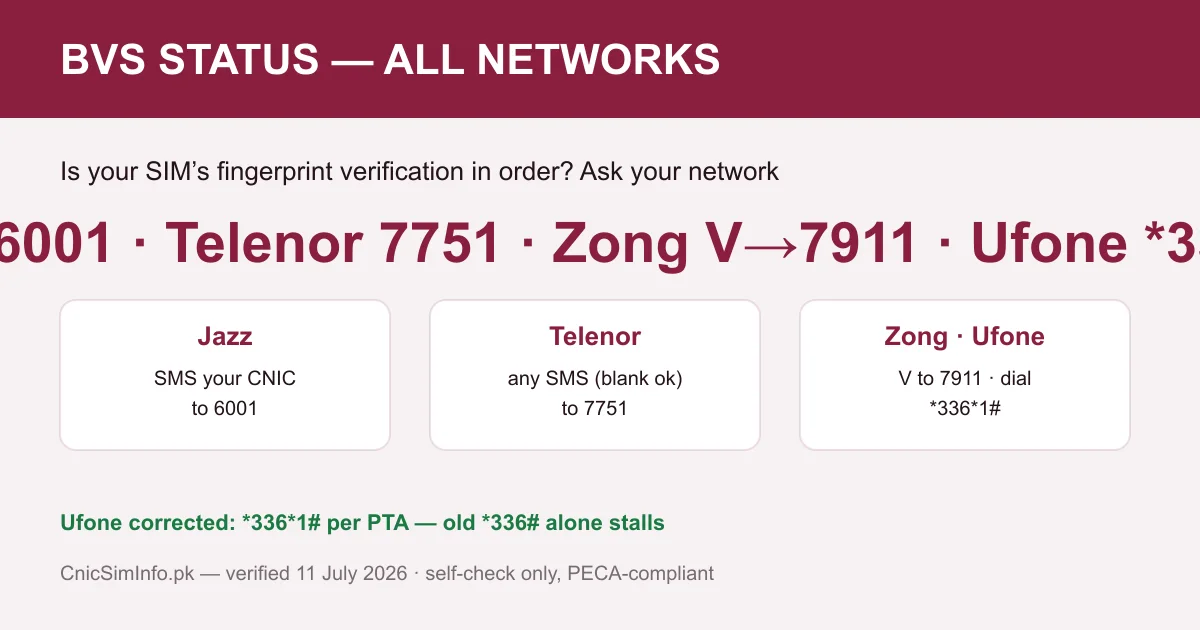
SIM biometric verification is the live fingerprint match against NADRA — the cnic sim verification step — that every Pakistani SIM must pass before it activates. Each network runs a status channel: 6001 on Jazz, 7751 on Telenor, V to 7911 on Zong, and *336*1# on Ufone, the code PTA itself had to correct. Unverified status has a 15-minute franchise fix. The full toolkit lives at Check SIM Owner Details Pakistan.
Key takeaways
- Status codes: Jazz CNIC to 6001 · Telenor any SMS to 7751 · Zong V to 7911 · Ufone *336*1#.
- The Ufone code is the most miscopied in Pakistan: *336*1# works; bare *336# alone stalls.
- BVS means a live NADRA fingerprint match at purchase; the result lives on your registry record.
- Unverified status is fixed only at a franchise: original CNIC + fresh thumb impression. Never online.
- After any fix, re-run the status code, then SMS your CNIC to 668 to see the whole record.
The usual boundary, worth repeating. Sim biometric verification codes answer for the SIM that runs them, about your own registration; they expose nobody’s identity, and no code anywhere turns a stranger’s number into sim owner details. That wall is Section 16 of PECA 2016, documented on our legality page.
On this page
What sim biometric verification is
Since Pakistan’s nationwide re-verification drive of 2015, no SIM is meant to activate on identity paperwork alone. The retailer captures a fingerprint on approved hardware. NADRA matches it live against the CNIC presented, and only a successful match lets the operator switch the SIM on. That end-to-end handshake is the Biometric Verification System (BVS, also written MBVS for multi-biometric), and its result never really disappears: it lives on as a status flag in the same PTA registry that answers your 668 and portal checks.
Understand the flag and half of Pakistani SIM bureaucracy suddenly makes sense. The registry is only as honest as the fingerprints beneath it, so everything downstream, counts, transfers, disowning, porting, leans on that one field. This page covers how to read yours on every network, what each status means, and the fixes. The wider record is explained across our twelve official methods.
Status codes for every network
| Network | Run from the SIM | Note |
|---|---|---|
| Jazz / Warid | SMS your CNIC number to 6001 | Digits only, no dashes |
| Telenor | Any SMS, even blank, to 7751 | The blank-message detail is confirmed on PTA’s page |
| Zong | SMS the letter V to 7911 | Single letter, nothing else |
| Ufone | Dial *336*1# | The corrected code; see below |
| SCOM / ONIC | Centre or app support | No public SMS status code published |
Every channel answers for the SIM that runs it, standard SMS charges at most, and the reply states whether that SIM’s registration is biometrically verified. Save the table once; these codes change rarely, and when they do, this page, the master code sheet and the by-network hub change with them, dated.
The Ufone correction: *336*1#
One cell of that table deserves its own heading, because the internet keeps getting it wrong. Guide after guide lists Ufone’s biometric check as *336#, copied from material that predates the menu’s current behaviour. The version that actually answers, carried on PTA’s own official Facebook, is *336*1#, which encodes the menu’s first option directly into the dial.
Two characters, and the difference between a status reply and a dead end. We corrected the code across this entire site the day the discrepancy was confirmed against PTA’s post. That is the housekeeping standard our editorial policy commits to and our Ufone codes guide applies to every other Ufone dial. When a page you are reading elsewhere still says *336#, weigh the rest of its codes accordingly.
What happens during a live match
The counter ritual is short, and knowing its moving parts makes failures less mysterious. Your CNIC number goes into the operator’s system, your thumb goes onto a scanner, and the print travels to NADRA. That database holds the fingerprints captured when your CNIC was made. NADRA compares the live print against the stored set and returns match or no-match. The operator’s system records the verdict against the SIM.
Notice what never happens: nobody at the shop sees your stored prints, and no print is compared against the whole population. The question is narrow, does this thumb belong to this CNIC, and the answer is binary. That narrowness is the privacy design, the same philosophy that keeps 668 replies to bare counts, as unpacked on our portal guide.
It also explains the failure modes. A dirty scanner, a wet thumb, a worn print, or a NADRA record made twenty years ago can all break the match without anything sinister happening. The fixes below follow directly from those causes.
Reading your status, and what each means
Verified is the healthy state: the activation-time match succeeded and the flag stands. Nothing to do beyond the ordinary monthly audit of your record.
Unverified means the registry cannot vouch for the fingerprint behind this SIM. Legacy cards from before the biometric era, migrations between systems, and failed or incomplete captures are the usual authors. The SIM may still work today, but it is a loose thread in your identity, it invites suspension, and every franchise process it touches later will snag on it.
No clean reply at all usually means you ran the wrong network’s code, the classic Ufone *336# trap, or messaged from a different SIM than intended. Re-run the right code from the right card before assuming anything deeper, then treat a persistent silence as a counter visit. Where the status contradicts what you know, the registry conversation happens at the franchise, not by repeat-dialling. That counter is where sim biometric verification is actually recorded and repaired.
How SIMs end up unverified
- Pre-2015 legacy cards. SIMs issued before the biometric era were re-verified in the national drive. Stragglers and edge cases survive, especially numbers that spent years switched off in drawers.
- Capture that never completed. A queue-hour sale where the scanner misfired and the retailer moved on; the SIM works, the flag does not.
- Record migrations. Operators merge, systems consolidate, and a fraction of flags travel badly. The Warid-into-Jazz history and the current Telenor-PTCL integration both make the point that brands move around your record; our news log tracks the current one.
- Documents that changed. A CNIC renewed after decades, or an identity record updated at NADRA, can leave old captures behind it.
None of these are accusations; they are maintenance. The registry is a living system, and the status codes exist precisely so ordinary people can spot the loose threads without needing to understand the plumbing.
The franchise fix, step by step
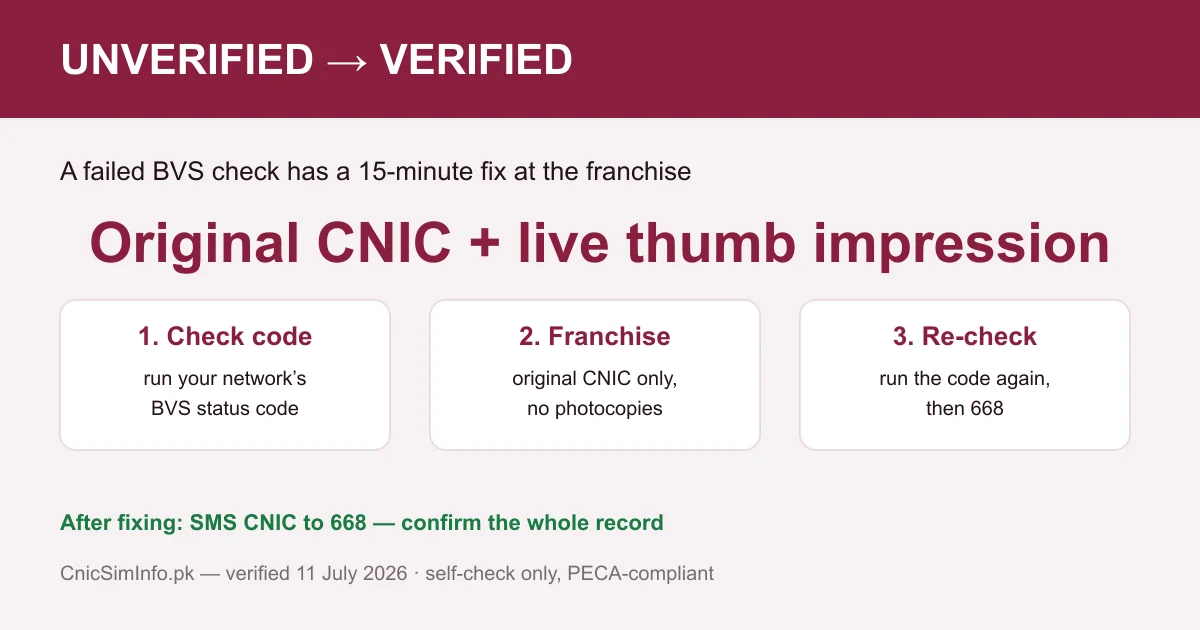
- Run your network’s status code from the SIM and screenshot the unverified reply, dated. Walking in with evidence shortens every counter conversation.
- Go to the operator’s own franchise or service centre with your original CNIC. Photocopies scan nothing, and the match runs against the live document.
- Say what you need plainly: biometric re-verification for this SIM. Thumb on scanner, NADRA match, flag updated; the core of it usually fits in fifteen minutes.
- Re-run the status code before leaving, or from the parking lot. Verified means done.
- Close the loop with your CNIC to 668, confirming the whole record looks right while you are paying attention. The 668 guide reads that reply line by line, and the count decoder explains any surprises.
If the counter surfaces a SIM you never bought, the same visit handles disowning, capped at Rs 200 and waived in fraud cases, with the walkthrough in our methods hub. Since PTA’s 24 May 2026 advisory, new SIMs carry a 365-day lock against disowning and transfer, one more reason loose threads are cheapest fixed early.
Worn fingerprints and older hands
The quiet, common problem nobody writes about: fingerprints wear. Decades of manual work, age, and some skin conditions thin the ridges until scanners hesitate, and the people affected are often exactly the parents and grandparents whose SIMs date from the legacy era.
Practical guidance from how the system behaves. Ask the counter staff to try alternative fingers, since capture quality differs finger to finger. A failed thumb is not a failed person. Clean, dry hands scan measurably better than lotioned or damp ones. Where every capture fails repeatedly, the standard route is updating the fingerprint record at NADRA first, then returning to the franchise. The operator matches against whatever NADRA holds, so refreshing the source fixes the downstream.
Families can make this humane: send a younger relative along for the queue, but remember the biometric itself cannot be delegated. The thumb on the scanner must belong to the CNIC on the counter; that unbreakable rule is the whole security model. It is also why every “we verify for you online” service is a fraud by definition, as our myths desk keeps demonstrating.
eSIMs and the fingerprint layer
An eSIM swaps the plastic for a QR code, and swaps nothing else. Activation still requires the live NADRA fingerprint match, the profile still binds to your CNIC, the status flag still lives on your registry record. The line still counts toward the national cap of eight, five voice plus three data, set by the Supreme Court on 5 November 2015.
The practical differences are small but worth knowing. Status codes run exactly the same from an eSIM, since the network sees a line, not a form factor. Losing a phone with an eSIM means the profile dies with the device’s security rather than living in a tray someone can pop out, which is a quiet safety upgrade. And in your 668 reply, an eSIM is indistinguishable from plastic: one more registered line under its operator, one more entry your monthly audit should recognise.
Why the layer exists at all
Strip the acronym away and BVS is Pakistan’s answer to a blunt question: how do you sell a hundred thousand SIMs a day without selling anonymity to criminals? Paper registration failed that test for years; fingerprints raised the price of a fake identity from a photocopied form to defeating NADRA’s biometric match, and the enforcement record since shows the pressure holding.
The fight is not decorative. PTA and the agencies keep dismantling operations built specifically to cheat this layer, from fake-fingerprint toolkits to bulk-activation rings. The running tally of raids and blocked services lives on our PTA news log with dates and sources. Every seizure is the same lesson: the fingerprint layer is what stands between your CNIC and a stranger’s SIM habit.
Which returns to you, the ordinary holder. Your two-minute contribution is running the status code once, fixing an unverified flag once, and letting the monthly 668 habit watch the rest. Sim biometric verification does the heavy lifting; the codes just let you check its work.
Frequently asked questions
How do I check my SIM’s biometric verification status?
From the SIM itself: Jazz, SMS your CNIC to 6001. Telenor, any SMS, even blank, to 7751. Zong, SMS the letter V to 7911. Ufone, dial *336*1#. The reply states whether the SIM’s registration is biometrically verified.
Is the Ufone BVS code *336# or *336*1#?
*336*1#. Older articles circulate the shorter code, but the working version carried on PTA’s own official Facebook is *336*1#, and that is the one we verified and use across this site.
What does sim biometric verification actually verify?
That the fingerprint captured at purchase matched the CNIC holder in NADRA’s database, live, before activation. The result is stored as a status flag on the SIM’s registry record.
My SIM shows unverified. Will it be blocked?
An unverified SIM risks suspension, and it weakens your identity record either way. The fix is a franchise visit with your original CNIC and a fresh thumb impression, usually done in minutes.
Can I fix biometric verification by SMS or online?
No — BVS’s whole point is a live fingerprint captured on approved hardware against NADRA, which only franchises and customer-service centres operate. Any site offering “online biometric verification” is a scam.
My fingerprints are worn. What happens at the counter?
Ask the staff to try alternative fingers; capture quality varies by finger. Where prints fail persistently, updating your record at NADRA first is the standard route, then the franchise re-verification.
Do eSIMs need biometric verification too?
Yes. An eSIM activates against your CNIC with the same live NADRA match as a physical card, carries the same status flag, and shows up identically in your 668 count.
Does BVS status affect my SIM count on 668?
The count lists your registered SIMs regardless, but an unverified entry is exactly the kind of loose thread worth fixing the same week, then re-checking with your CNIC to 668.
Unverified SIM kitne din mein block hoti hai?
PTA ne koi aik fixed public deadline nahi chhapi — suspension ka risk policy ke saath badalta hai. Isi liye behtar yeh hai ke status code se aaj check karein aur unverified nikle to isi hafte franchise se theek karwa lein; 15 minute ka kaam hai.
Roman Urdu mein
Sim biometric verification wo zinda fingerprint match hai jo har SIM ko activate hone se pehle NADRA se guzarna parta hai. Apna status check karein: Jazz par CNIC likh kar 6001, Telenor par koi bhi SMS (khali bhi) 7751 par, Zong par sirf V 7911 par, aur Ufone par *336*1# dial karein. Purana *336# adhoora hai; sahi code PTA ke apne page par hai. Unverified nikle to asli CNIC le kar franchise jayein, angootha lagega, 15 minute ka kaam hai; ghise huay nishanon par doosri ungliyan aazmayein ya pehle NADRA se record taza karayein. Aakhir mein CNIC 668 par bhej kar poora record dekh lein. Online biometric ka wada karne wali har site fraud hai.

Written and reviewed by Muhammad Hamza, founder and editor of CnicSimInfo. The BVS codes on this page are cross-checked against PTA’s own posts and the operators’ published channels, re-tested on real SIMs, with the *336*1# correction documented at source. Last reviewed: 11 July 2026. See our editorial standards.